Skip to content

Commit 9c78017

Browse files
authored
Begin Python Course Update
1 parent 893feb4 commit 9c78017

12 files changed

Lines changed: 50 additions & 53 deletions

00. Introduction.ipynb

Lines changed: 3 additions & 3 deletions
Original file line numberDiff line numberDiff line change
@@ -20,15 +20,15 @@
2020
"\n",
2121
"![buildings](https://apmonitor.com/che263/uploads/Begin_Python/buildings.png)\n",
2222
"\n",
23-
"This project is to regulate the temperature of the TCLab. Each TCLab has thermochromic (changes color with temperature) paint that turns from black to purple when the temperature reaches the target temperature of 37°C (99°F).\n",
23+
"This project is to regulate the temperature of the TCLab (Temperature Control Lab). Each TCLab has thermochromic (changes color with temperature) paint that turns from black to purple when the temperature reaches the target temperature of 37°C (99°F).\n",
2424
"\n",
2525
"![pid control](https://apmonitor.com/pdc/uploads/Main/pid_control.gif)\n",
2626
"\n",
2727
"The first thing that you'll need is to install Anaconda and run the Jupyter notebook. [Download Anaconda to use Jupyter](https://www.anaconda.com/distribution/) or [watch a video on how to install it](https://youtu.be/LrMOrMb8-3s).\n",
2828
"\n",
2929
"[![Install Anaconda](http://img.youtube.com/vi/LrMOrMb8-3s/0.jpg)](https://www.youtube.com/watch?v=LrMOrMb8-3s \"Install Anaconda\")\n",
3030
"\n",
31-
"The video is about how to install Anaconda and a few things you can do with Anaconda. Examples are with Jupyter and Spyder. There are [additional instructions on installing Python and managing modules](https://apmonitor.com/pdc/index.php/Main/InstallPython)."
31+
"The video shows how to install Anaconda and a few things you can do with the Jupyter Notebook. Examples are with Jupyter Notebook and Spyder. There are [additional instructions on installing Python and managing modules](https://apmonitor.com/pdc/index.php/Main/InstallPython)."
3232
]
3333
}
3434
],
@@ -48,7 +48,7 @@
4848
"name": "python",
4949
"nbconvert_exporter": "python",
5050
"pygments_lexer": "ipython3",
51-
"version": "3.7.5"
51+
"version": "3.7.4"
5252
}
5353
},
5454
"nbformat": 4,

02. Debugging.ipynb

Lines changed: 5 additions & 5 deletions
Original file line numberDiff line numberDiff line change
@@ -8,21 +8,21 @@
88
"\n",
99
"![debug](https://apmonitor.com/che263/uploads/Begin_Python/debug.png)\n",
1010
"\n",
11-
"One of the biggest time consuming parts of programming is debugging, or resolving mistakes in the program. This is true for every language because the computer needs exact commands, which is very important for precise measurements and control for incubating. A few steps can limit the time you are searching for mistakes, instead of completing the project. \n",
11+
"One of the biggest time consuming parts of programming is debugging, or resolving mistakes in the program. This is true for every language because the computer needs exact commands, which is very important for precise measurements and temperature control. A few steps can limit the time you are searching for mistakes, instead of completing the project. \n",
1212
"\n",
1313
"[![Pseudo-Code and Debugging](https://apmonitor.com/che263/uploads/Begin_Python/BeginPython02.png)](https://www.youtube.com/watch?v=n1BlQkoWbdM&list=PLLBUgWXdTBDi3J05aMVG1knUpqRhkbc46 \"Pseudo-Code and Debugging\")\n",
1414
"\n",
1515
"### Steps for more effective programming\n",
1616
"\n",
1717
"![list](https://apmonitor.com/che263/uploads/Begin_Python/list.png)\n",
1818
"\n",
19-
"1. Start with understanding the big picture. It seems silly, but once you start going over the whole thing you find a lot of gaps. Do this in whichever way suits you best, we’ll leave it up to you. For the egg incubator, it would be understanding what you actually need to do to help an egg hatch.\n",
19+
"1. Start with understanding the big picture. Go over the whole program architecture to find high-level gaps. Do this in whichever way suits you best, such as drawing a flowchart. For the egg incubator, the program scope is to diagram what you actually need to do to help an egg hatch.\n",
2020
"\n",
2121
"2. Start by outlining your code, writing **high-level instructions (pseudo-code)** what you want each section of the code to do. Break it into more specific tasks. You can do this even without understanding the basics of Python. Once you learn Python basics, you can translate these high level instructions into code. Organizing the outline helps to make sure your programming isn't more complex than it needs to be.\n",
2222
"\n",
23-
"3. Program the specific tasks and connect them together. Direct tasks make it significantly easier to program because the program is modular. It’s a lot harder to program something if the program is large and complex. For the incubator, this may be programming something specific like how hard the heater should work, based on a low temperature reading.\n",
23+
"3. Program the specific tasks and connect them together. Direct tasks make it significantly easier to program because the program is modular. It is a lot harder to program something if the program is large and complex. For the incubator, this may be programming something specific like how hard the heater should work, based on a low temperature reading.\n",
2424
"\n",
25-
"4. Test and fix problems. This is basically debugging, but don’t only test the whole project all in one go. It’s much easier to find a problem if you test every once in a while, when you are programming smaller parts. A good way to do this is grab a specific piece of code, run it on a seperate file, and see if it does the job you want. An example would be fixing when the heater should stop working, so the egg doesn't go over temperature.\n",
25+
"4. Test and fix problems. This is debugging, but don’t only test the whole project after you've completed all of the programming. It is much easier to find a problem if you test every once in a while, when you are programming smaller parts. A good way to do this is grab a specific piece of code, run it on a separate file, and see if it does the job you want. An example would be fixing when the heater should stop working, so the egg doesn't go over temperature.\n",
2626
"\n",
2727
"The better you follow these steps the less time you will have to spend fixing problems in your code for your incubator, or just Python programs in general.\n",
2828
"\n",
@@ -80,7 +80,7 @@
8080
"name": "python",
8181
"nbconvert_exporter": "python",
8282
"pygments_lexer": "ipython3",
83-
"version": "3.7.5"
83+
"version": "3.7.4"
8484
}
8585
},
8686
"nbformat": 4,

03. Variables.ipynb

Lines changed: 8 additions & 8 deletions
Original file line numberDiff line numberDiff line change
@@ -8,7 +8,7 @@
88
"\n",
99
"![chickens](https://apmonitor.com/che263/uploads/Begin_Python/chickens.png)\n",
1010
"\n",
11-
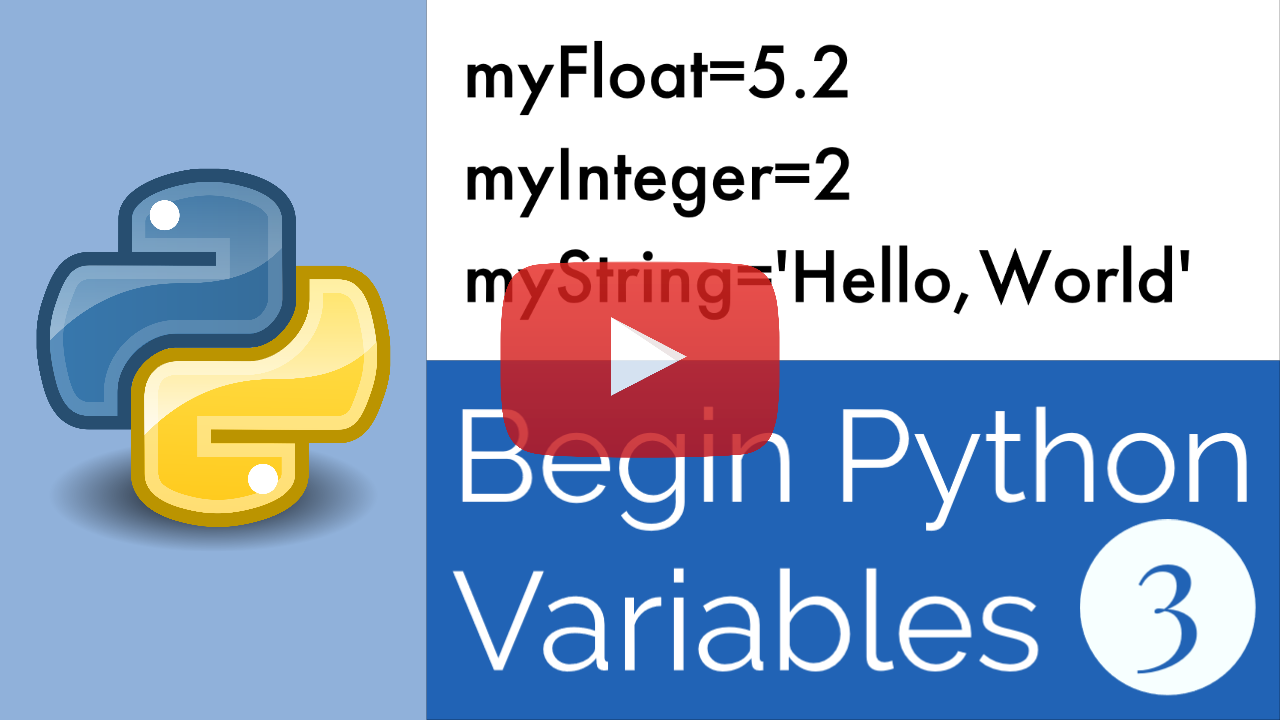
"Variables store information and are objects in Python. For example, if you wanted to keep a set temperature for an egg, you would type ```egg = 37.5``` for °C or ```egg = 99.5``` for °F. The first part tells what the variable will be called, and the value after the ```=``` tells what is being stored. \n",
11+
"Variables store information and are objects in Python. For example, if you wanted to keep a set temperature for an egg, you would type ```egg = 37.5``` (°C) or ```egg = 99.5``` (°F). The first part tells what the variable will be called, and the value after the ```=``` tells what is being stored. \n",
1212
"\n",
1313
"[![Variable Types](https://apmonitor.com/che263/uploads/Begin_Python/BeginPython03.png)](https://www.youtube.com/watch?v=q6QOsauDyPg&list=PLLBUgWXdTBDi3J05aMVG1knUpqRhkbc46 \"Variable Types\")\n",
1414
"\n",
@@ -18,7 +18,7 @@
1818
"\n",
1919
"There are many types of value types but for now, we’ll just go through the basics. You can run the code, but in this case the computer won't tell you anything, because it is only storing values. \n",
2020
"\n",
21-
"While you can run a program by clicking the run button towards the top of the screen, a better way to run cells individually is to click a cell, then hold ```Ctrl``` and press ```Enter```. Running this way means you're running one cell at a time, instead of all at once. Some Jupyter Notebooks also have the run button to the left of the program cell."
21+
"While you can run a program by clicking the run button towards the top of the screen, a better way to run cells individually is to click a cell, then type ```Ctrl``` and ```Enter```. Running this way means you're running one cell at a time, instead of all cell. Jupyter Notebooks can also have the run button to the left of the program cell."
2222
]
2323
},
2424
{
@@ -43,7 +43,7 @@
4343
"metadata": {},
4444
"source": [
4545
"#### Floats\n",
46-
"Floating point numbers, or ```float```, are basically the same thing, but with decimals like ```4.72```."
46+
"Floating point numbers, or ```float```, are also numbers, but with decimals like ```4.72```."
4747
]
4848
},
4949
{
@@ -60,7 +60,7 @@
6060
"metadata": {},
6161
"source": [
6262
"#### Strings\n",
63-
"Strings, or ```str```, are words or text, usually typed like ```\"hi\"```. You can use ```\"\"``` or ```''```."
63+
"Strings, or ```str```, are words or text, usually typed like ```\"hi\"```. You can use double ```\"\"``` or single ```''``` quotes."
6464
]
6565
},
6666
{
@@ -77,7 +77,7 @@
7777
"metadata": {},
7878
"source": [
7979
"#### Boolean\n",
80-
"Boolean, or ```bool```, is a ```True``` or ```False``` Statement."
80+
"Boolean, or ```bool```, is a ```True``` or ```False``` value. They both need to start with a capital letter."
8181
]
8282
},
8383
{
@@ -94,7 +94,7 @@
9494
"metadata": {},
9595
"source": [
9696
"### Comments \n",
97-
"Comments are just words in a program to explain what is happening. They don't do anything to the program. They are created with the ```#``` symbol."
97+
"Comments are ignored by Python and are words in a program to explain the code. They are created with the ```#``` symbol and can appear to the right of a statement or on a separate line."
9898
]
9999
},
100100
{
@@ -128,7 +128,7 @@
128128
"```python\n",
129129
"_this_is_a_variable_27 = \"Incubator Temperature Control\"```\n",
130130
"\n",
131-
"If you want to check your understanding, run incorrect variables and then fix the variable names to whatever you want. Make sure the it follows naming rules."
131+
"If you want to check your understanding, run incorrect variables and then fix the variable names to whatever you want. Make sure the variable name follows the naming rules."
132132
]
133133
},
134134
{
@@ -243,7 +243,7 @@
243243
"name": "python",
244244
"nbconvert_exporter": "python",
245245
"pygments_lexer": "ipython3",
246-
"version": "3.7.5"
246+
"version": "3.7.4"
247247
}
248248
},
249249
"nbformat": 4,

04. Printing.ipynb

Lines changed: 3 additions & 3 deletions
Original file line numberDiff line numberDiff line change
@@ -8,7 +8,7 @@
88
"\n",
99
"![exercise](https://apmonitor.com/che263/uploads/Begin_Python/exercise.png)\n",
1010
"\n",
11-
"Printing is displaying values to the screen. The word `print` comes from the time when programs previously put ink on paper. You use the built in python __function__ ```print()``` to output values.\n",
11+
"Printing is displaying values to the screen. The word `print` comes from the time when programs previously put ink on paper. You use the built-in python __function__ ```print()``` to output values.\n",
1212
"\n",
1313
"[![Print](https://apmonitor.com/che263/uploads/Begin_Python/BeginPython04.png)](https://www.youtube.com/watch?v=CCPNIocw0_Y&list=PLLBUgWXdTBDi3J05aMVG1knUpqRhkbc46 \"Print\")\n",
1414
"\n",
@@ -28,7 +28,7 @@
2828
"cell_type": "markdown",
2929
"metadata": {},
3030
"source": [
31-
"You can also print functions, this function is one that will tell the information type that is stored in a variable. So it will print out ```<class 'int'>``` or str, bool, float, whatever the information in the variable is."
31+
"You can also print functions, this function is one that will tell the information type that is stored in a variable. The `type` function will return ```<class 'int'>```, `str`, `bool`, `float`, whatever is stored in the variable."
3232
]
3333
},
3434
{
@@ -220,7 +220,7 @@
220220
"name": "python",
221221
"nbconvert_exporter": "python",
222222
"pygments_lexer": "ipython3",
223-
"version": "3.7.5"
223+
"version": "3.7.4"
224224
}
225225
},
226226
"nbformat": 4,

05. Classes and Objects.ipynb

Lines changed: 3 additions & 3 deletions
Original file line numberDiff line numberDiff line change
@@ -23,7 +23,7 @@
2323
"\n",
2424
"![parent_child](https://apmonitor.com/che263/uploads/Begin_Python/parent_child.png)\n",
2525
"\n",
26-
"Variables such as `int`, `float`, and `str` types are objects. Objects may also be created from a class template to create a new custom variable. You use a variable assignment to create an object, assigned to a name, such as ```lab = tclab.TCLab()```. This is called a parent (`tclab.TCLab()`) to child (`lab`) relationship because `lab` is created from the class `tclab`. The child object `lab` inherents all the functions of the parent. The child object is modified and customized in your code. You can give objects a name that you will remember and that are easy to type. For `tclab`, we prefer to use ```lab```, but it can be a different name. "
26+
"Variables such as `int`, `float`, and `str` types are objects. Objects may also be created from a class template to create a new custom variable. You use a variable assignment to create an object, assigned to a name, such as ```lab = tclab.TCLab()```. This is called a parent (`tclab.TCLab()`) to child (`lab`) relationship because `lab` is created from the class `tclab`. The child object `lab` inherits all the functions of the parent. The child object is modified and customized in your code. You can give objects a name that you will remember and that are easy to type. For `tclab`, we prefer to use ```lab```, but it can be a different name. "
2727
]
2828
},
2929
{
@@ -104,7 +104,7 @@
104104
"\n",
105105
"This object is what allows you to connect with the kit, read current temperatures, adjust heaters, or change the LED brightness. In the next lesson we will go over the basics of what this temperature control kit can really do. \n",
106106
"\n",
107-
"Plug in your TCLab if it's available. Now try running and the program will create the object from below. Now if tclab package is installed and imported, it should connect, tell you additional information about your TCLab, then disconnect. If it doesn't work, or comes up with an error, go to the file __TCLab Help__.\n",
107+
"Plug in your TCLab if it's available. Now try running and the program will create the object from below. If the `tclab` package is installed and imported, it should connect, tell you additional information about your TCLab, then disconnect. If it doesn't work, or comes up with an error, go to the file __TCLab Help__.\n",
108108
"\n",
109109
"Don't worry if this is confusing, most of it will be explained in the next lesson."
110110
]
@@ -184,7 +184,7 @@
184184
"name": "python",
185185
"nbconvert_exporter": "python",
186186
"pygments_lexer": "ipython3",
187-
"version": "3.7.5"
187+
"version": "3.7.4"
188188
}
189189
},
190190
"nbformat": 4,

0 commit comments

Comments
 (0)