This example shows how to run SkyPilot on AWS SageMaker HyperPod with EKS.
- An existing SageMaker HyperPod with EKS (or you can create one with AWS doc)
- SkyPilot installed: installation doc
pip install skypilot-nightly[kubernetes]- Get your EKS cluster name and region from the SageMaker HyperPod console.
aws eks update-kubeconfig --name $EKS_CLUSTER_NAME --region $EKS_REGION- Connect SkyPilot to the cluster.
sky check k8s
If you are using it with SkyPilot for the first time, you may see a hint to create GPU labels for your nodes. Follow the instructions to create the labels.
sky gpus labelNote: This command currently only supports NVIDIA GPUs.
sky gpus list --cloud k8s
sky launch -c dev --gpus A10G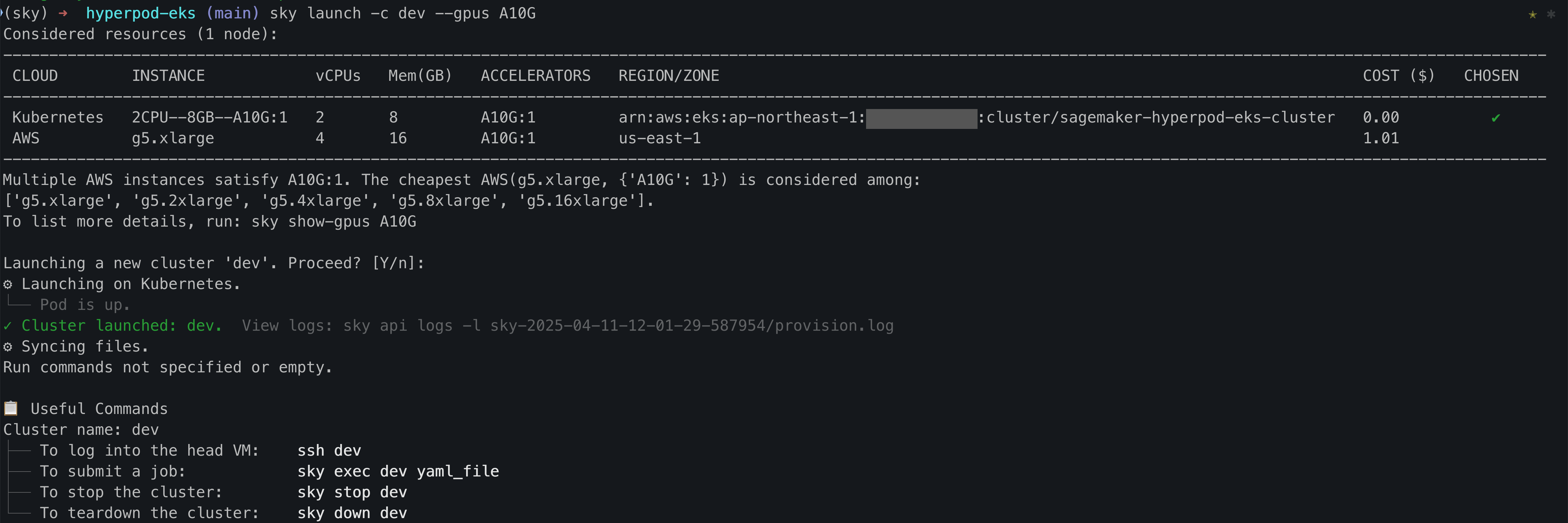
This launches a SkyPilot cluster with a single A10G GPU, and you can use it as a interactive dev environment by sshing into it or connecting to it with VSCode.
ssh devsky launch -c train train.yamlThis will launch a distributed training job with 2 nodes on the HyperPod cluster. You can check the logs with:
sky logs trainTo terminate the SkyPilot cluster, you can run:
sky down trainYou can start many jobs to run them in parallel. See this doc for more details.
for i in {1..10}; do
    sky jobs launch -n job-$i train.yaml --async
done
This will launch 10 distributed training jobs on the HyperPod cluster, with automatic recovery. You can check the status of all jobs with:
sky jobs queueOr, find the jobs in a dashboard:
sky dashboard